![logo_moinai-full-transparent-1.png]](https://helpcenter.moin.ai/hs-fs/hubfs/logo_moinai-full-transparent-1.png?height=40&name=logo_moinai-full-transparent-1.png)
Enabling fallback keywords is intended to help the AI chatbot recognise a topic in specific cases. This option is designed as supplementary support for specific scenarios and is not recommended for standard use.
1. Global activation in the Hub
The function is activated via the menu item Bot Settings > General settings & Privacy.
-
Toggle the switch next to Keywords are enabled by clicking on it.
-
Click Save to complete the activation.
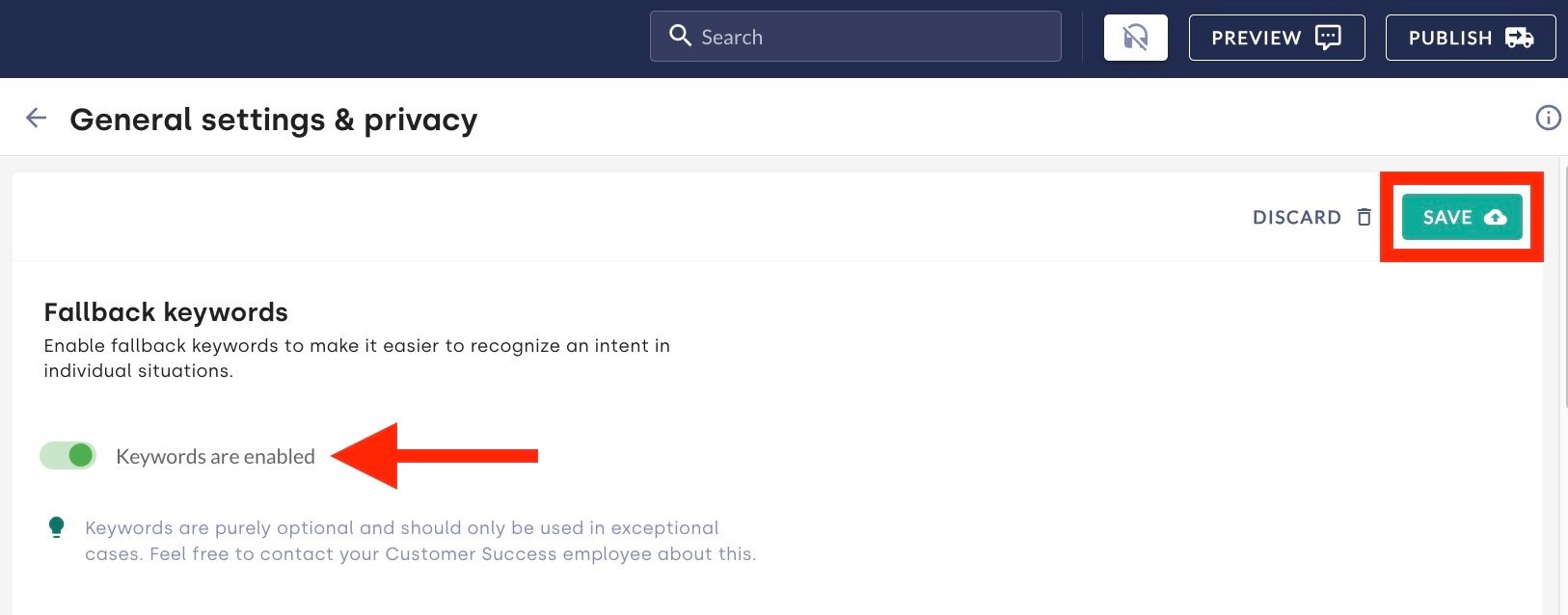
Fallback keywords are purely optional and should only be used in exceptional cases. We do not recommend enabling this by default for all topics, as purely AI-based recognition generally delivers the most consistent results.
If you have any questions about the optimal structuring of topics or the need for fallback keywords, please contact the Customer Success Team at customersuccess@moin.ai.
Further information on how the AI optimally recognises topics and generates responses is described in the article on optimising generated response content.
2. Assigning keywords to AI agents and topics
Assignments can only be made for AI agents and custom-created topics. Fallback keywords cannot be assigned to topics created from AI templates.
-
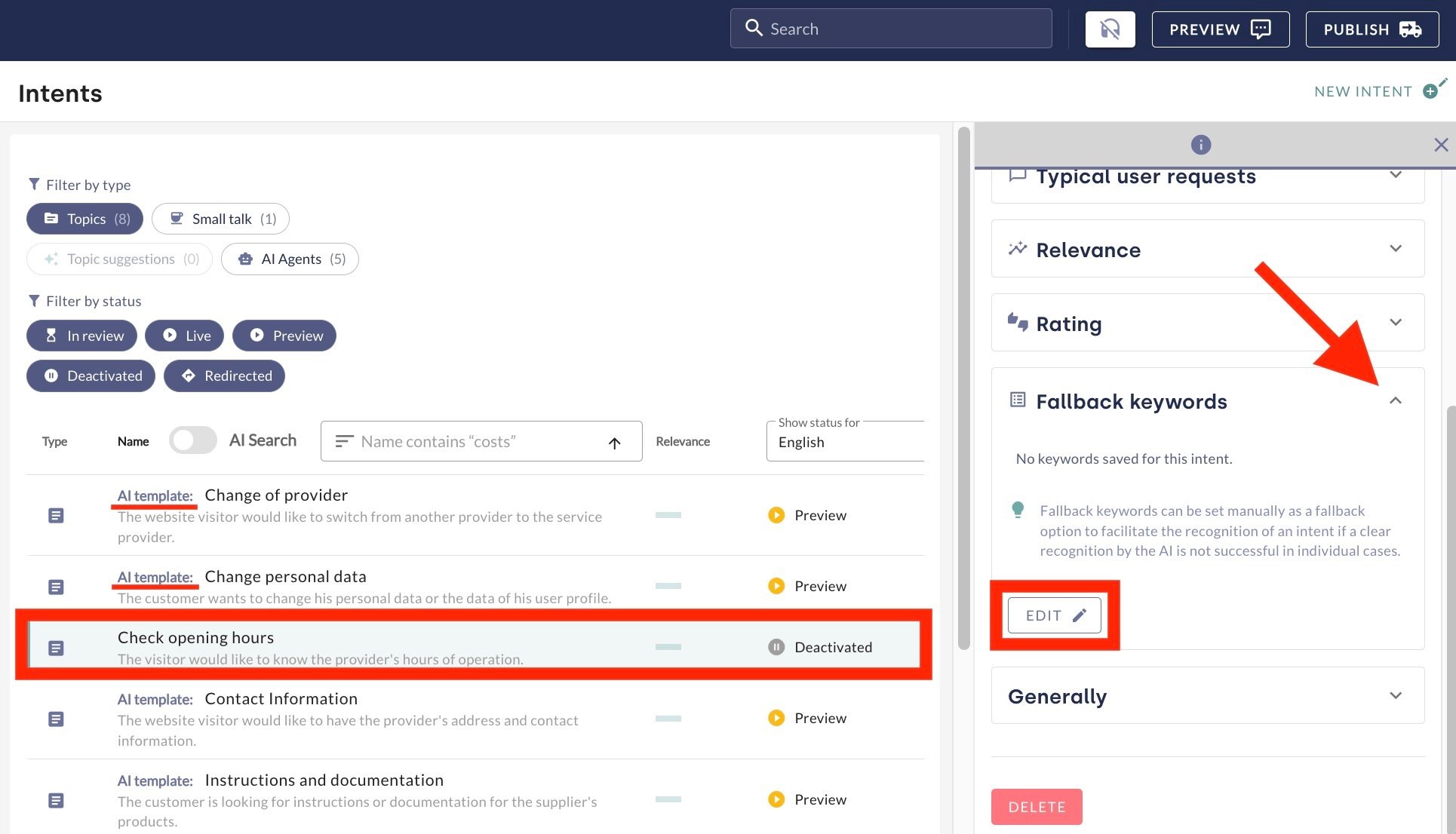
Access the Topics menu item.
-
Select the desired AI agent or specific topic by clicking on the name.
-
In the Fallback Keywords section of the right-hand sidebar that opens, click the Edit button.
-
Enter the desired keyword in the New Keyword input field.
-
Click the plus symbol to add the keyword. Keywords can be removed by clicking the X symbol. A maximum of 10 keywords are permitted per topic or AI agent.
-
Clicking Save ensures that the fallback keywords are then active across all channels.
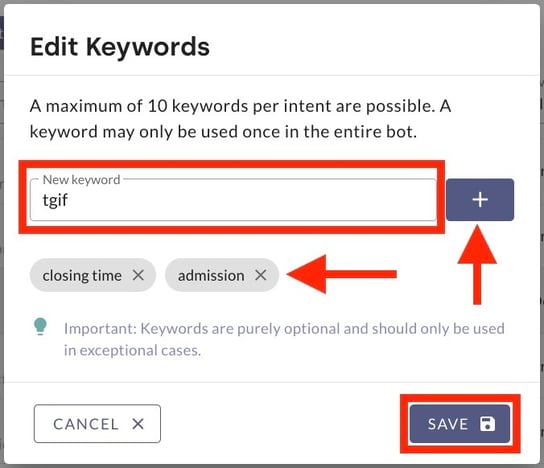
Stored fallback keywords can be removed using the same method.
A keyword may only be used once throughout the entire chatbot. Duplicates will invalidate the assignment.